See why customers cancel
October 30, 2026
A cancellation used to tell you only that a customer left. Now customers can tell you why when they cancel, and you can see whether new customers leave for different reasons than the ones who have been with you for months.
What customers see
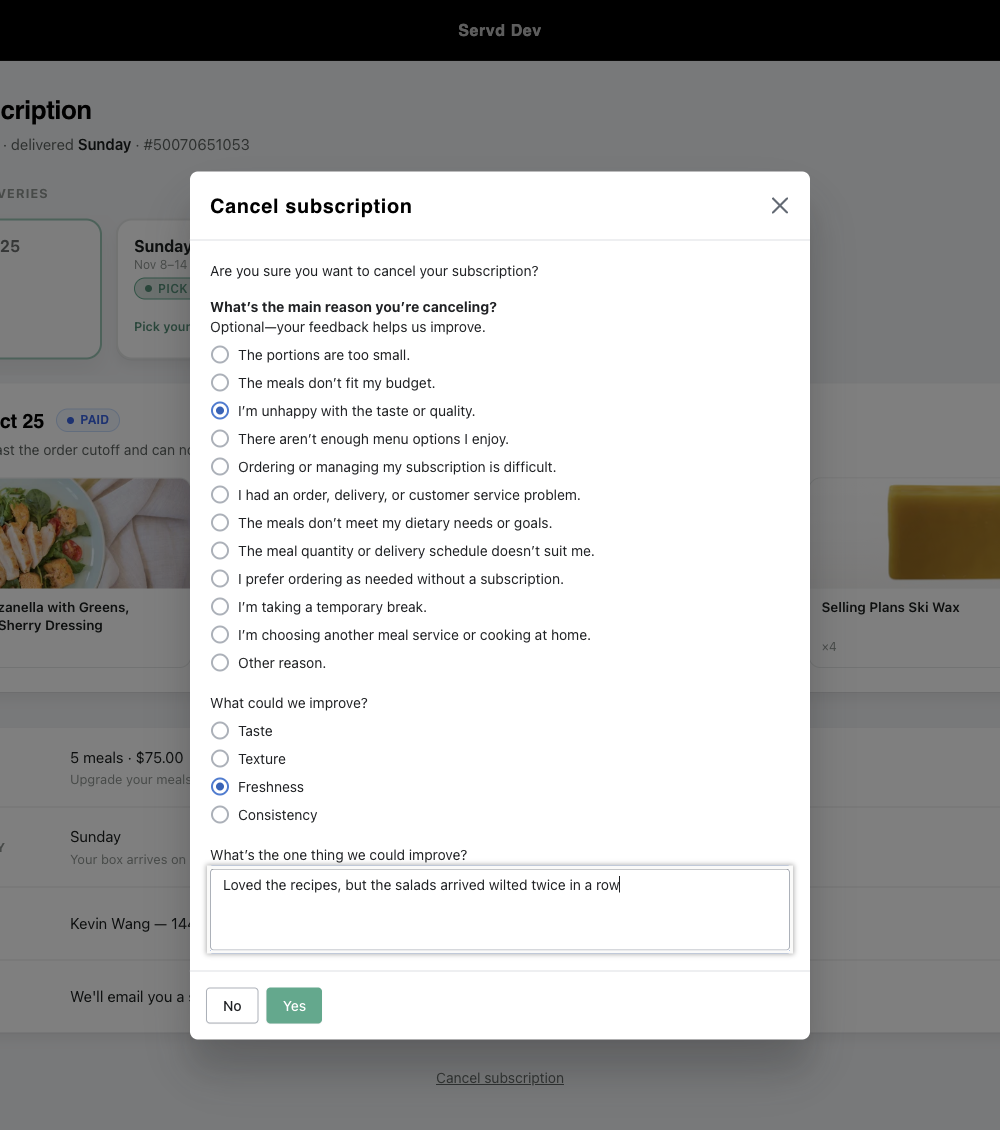
When a customer cancels from the customer portal or from their Shopify customer account, the cancel window asks for their main reason, from a list of 12: portions, budget, taste or quality, menu choices, ordering, an order or delivery problem, dietary needs, quantity or schedule, ordering without a subscription, a temporary break, another meal service, or another reason.
Some reasons ask one short follow-up. For example, an order or delivery problem asks what went wrong, and another meal service asks which one. Everyone can also say the one thing you could improve.
Every question is optional, and cancelling works the same whether or not they answer. Customers see the questions in English, French, Spanish or Korean, following your customer languages.
What you see
Open a cancelled subscription, and the Cancellation card shows when it was cancelled and by whom, when it started, how many orders it completed, and the customer's reason, follow-up answer and comment.
On the Dashboard, the Why customers cancel card counts the cancellations in your date range by reason, with the follow-up answers under each one. Below the counts, each cancellation is listed with its start date, completed orders and answers. Filter by reason, and click a subscription to open it.
When you cancel a subscription yourself in Servd, you can record the reason the customer gave you.
Getting started
There is nothing to set up. Customers are asked from today. Subscriptions cancelled earlier have no answers; the dashboard counts them separately, as cancellations before reasons were collected.
More product updates
Plan photos in Guided Start, and two plans per row on phonesStorefront · November 17, 2026Copy your menu link from Meal plansStorefront · November 16, 2026Show your weekly menu anywhere in your themeMenus · November 13, 2026Ready to set this up on your store?
Servd is free to install and walks you through creating your meal plan, your first menu, and the storefront entry point.
Install Servd on ShopifyQuestions about your setup? Email us — we respond within 24 hours.