Product Tour
Tour the operating system for food subscriptions
Servd connects the pieces a meal business actually runs: subscription plan products, weekly menus, storefront ordering, customer account edits, production reports and retention tools.
Plan architecture
Sell different plan lines without splitting your operations
Connect the Shopify products that represent how you sell: B2C meal plans, retailer boxes, family plans, corporate plans, or specialty subscriptions. Each product keeps its own prices and caps while sharing the same menu and production workflow.
- Multiple connected meal plan products
- Separate variant sizes, caps, purchase modes and selling plans
- Plan changes stay inside the product family the customer bought
Meal plan products
Regular meal plan
6, 8, 10 and 12 meals - subscription or one-time
Retailer weekly box
20, 30 and 40 meals - pickup workflow
Family-size plan
Different caps, same production calendar
Customer acquisition
Give shoppers the right ordering path for your theme
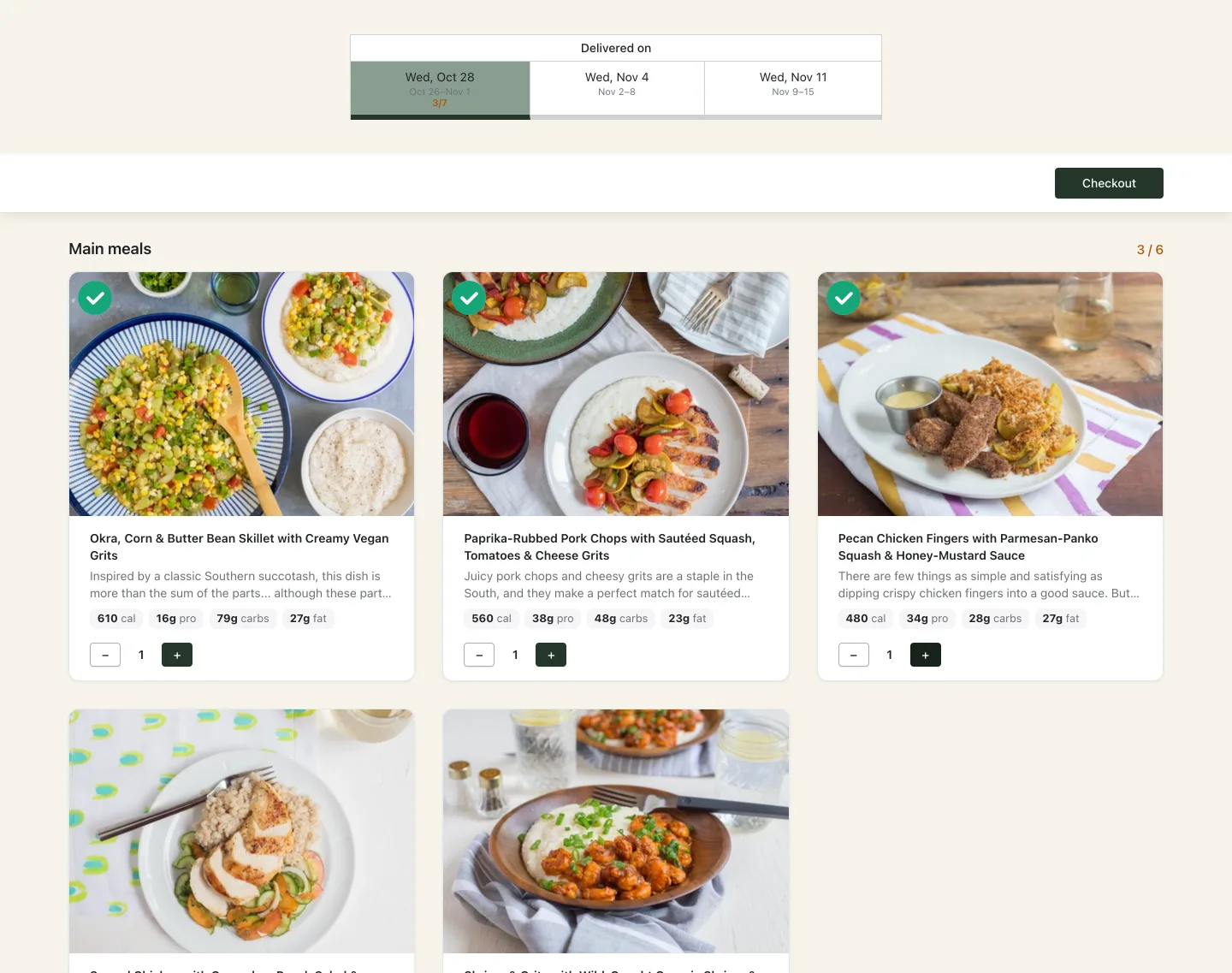
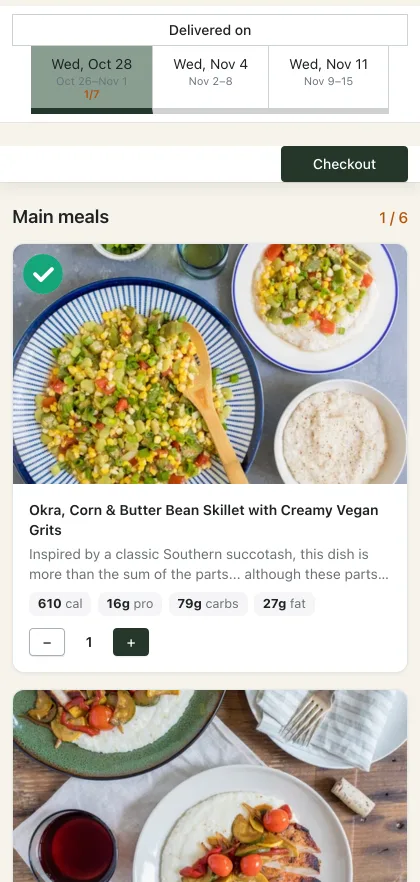
Customers can start from a product page, a guided ordering link, or an embedded menu page. Servd handles subscription versus one-time choices, plan pricing, delivery-zone checks and meal selection while keeping the experience inside your Shopify storefront.
- Product-page purchase options and plans-pricing blocks
- Guided Start for stores that want a dedicated ordering path
- Theme-native menu widget with delivery-zone validation
- Servd's own words in English, French, Spanish or Korean
Storefront menu
Delivery schedule
Deliver on your schedule
Keep one weekly cutoff when you cook once for every day, or give each delivery or pickup day its own cutoff when you cook before each one. Before checkout, customers choose pickup, local delivery or shipping and a day, and each renewal is charged at that day's cutoff.
- Pickup at your Shopify locations, local delivery or shipping
- Each day closes at its own cutoff, such as 2 days before at 8 PM
- Customers change their day or method in the portal until the cutoff
How do you want your meals?
Wednesday, Oct 28 - Servd Kitchen
Order by Mon, Oct 26, 8:00 PM
Saturday, Oct 31 - Servd Kitchen
Order by Thu, Oct 29, 8:00 PM
Subscriber self-service
Let customers manage upcoming deliveries in Shopify Customer Accounts
Subscribers can review upcoming deliveries, choose meals for open weeks, skip or resume deliveries, and make supported subscription changes from a native Shopify account page.
- Upcoming delivery cards with meal selection status
- Edit meals, skip, resume and review delivery timing
- Plan size and delivery-address changes where enabled
Customer account
Kitchen workflow
Turn customer choices into production-ready orders
When the cutoff arrives, Servd locks selections, handles missing picks, creates Shopify orders and gives the kitchen the views it needs: order links, packing slips, Meal Demand and delivery-week reporting.
- Orders grouped by delivery week with Shopify order links
- Meal Demand totals and billing-status filters
- Packing slips with plan, order number and selected meals
Delivery-week operations
#1042 - Regular meal plan
Shopify order linked - packing slip ready
#1043 - Retailer weekly box
Meals stored in order details for local delivery
Lifecycle tools
Keep subscribers moving through the early boxes and renewals
Servd supports welcome-offer ladders, pre-charge reminders, failed-payment recovery and assisted migration workflows, so growing a food subscription business is not limited to the checkout page.
- Welcome offers across a subscriber's first boxes
- Editable pre-charge and failed-payment emails
- Assisted migration from another subscription app
Retention tools
Meals, delivery week and add-ons before renewal
Dry run, mapping, import and first-order check
Watch: Welcome emails and the customer portal (3:36)
Ready to see Servd on your own store?
Install free, connect your first meal plan product, and start with the workflow that fits your business.