Shopify theme · by Servd
Table: the Shopify theme for meal delivery.
Weekly menus, order cutoffs and meal plans look right from day one. Add Servd, and subscriptions, meal selection and delivery days run inside the same theme.
One-time purchase · one store · 12 months of updates
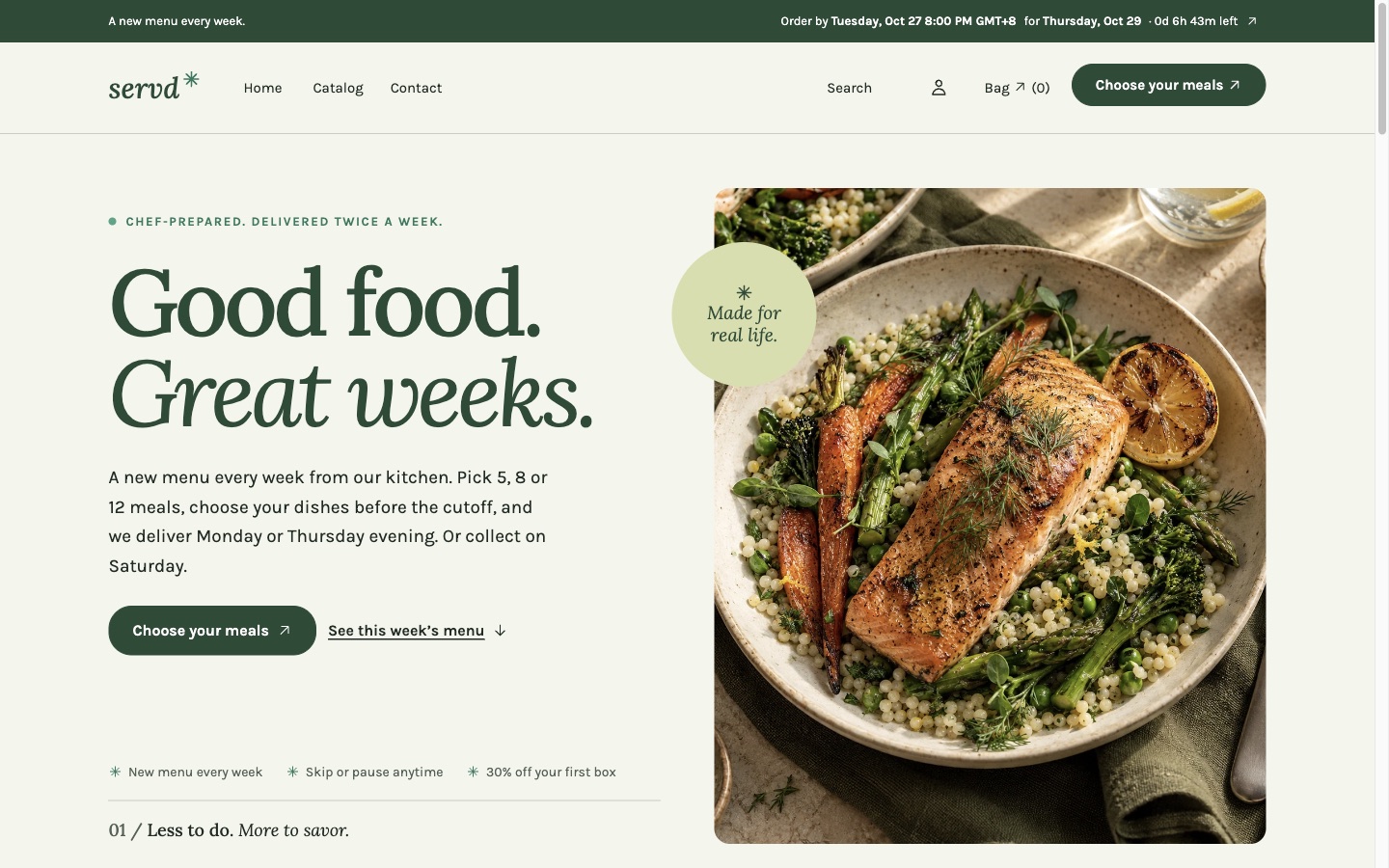
Four styles
One theme. Pick the look that fits your food.
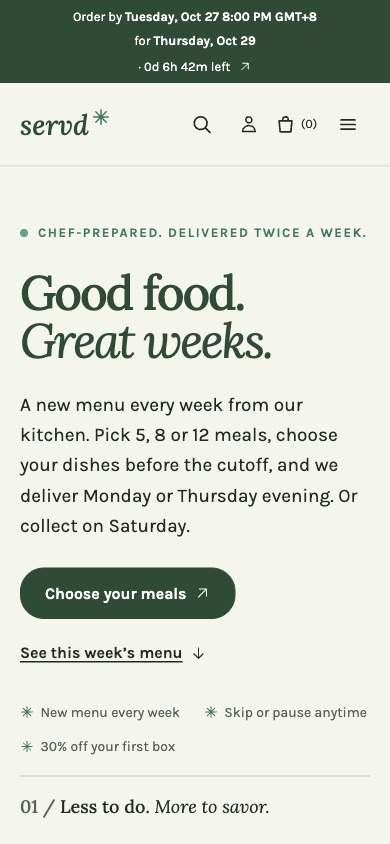
Garden · Editorial and calm. Serif headlines, soft greens and generous space. For kitchens that sell care and fresh ingredients.
Built for meal businesses
The parts a general theme leaves out.
The order cutoff, everywhere it matters
A bar above the header shows when ordering closes and which day the box arrives, with a live countdown. Use one weekly cutoff, or a cutoff for each delivery day.
This week's menu, rotating on its own
Point the theme at your weekly menu collections and it shows the right one each week, with a Next week tab and diet filters.
Dish pages that answer questions
Calories and macros, diet labels, allergens, ingredients and heating notes, read from product metafields. Missing values stay hidden; nothing is made up.
A meal plan page that sells the box
Plan sizes as large buttons, a summary panel, this week's dishes and a three-step journey.
Four styles, one theme
Garden, Kitchen, Fuel and Gather each set colours, fonts, corners and layout. Switch in the theme editor and keep your content.
A setup checklist in the editor
Only you see it: logo, plan product, menu collections, nutrition coverage and order cycle, checked against your real store data.
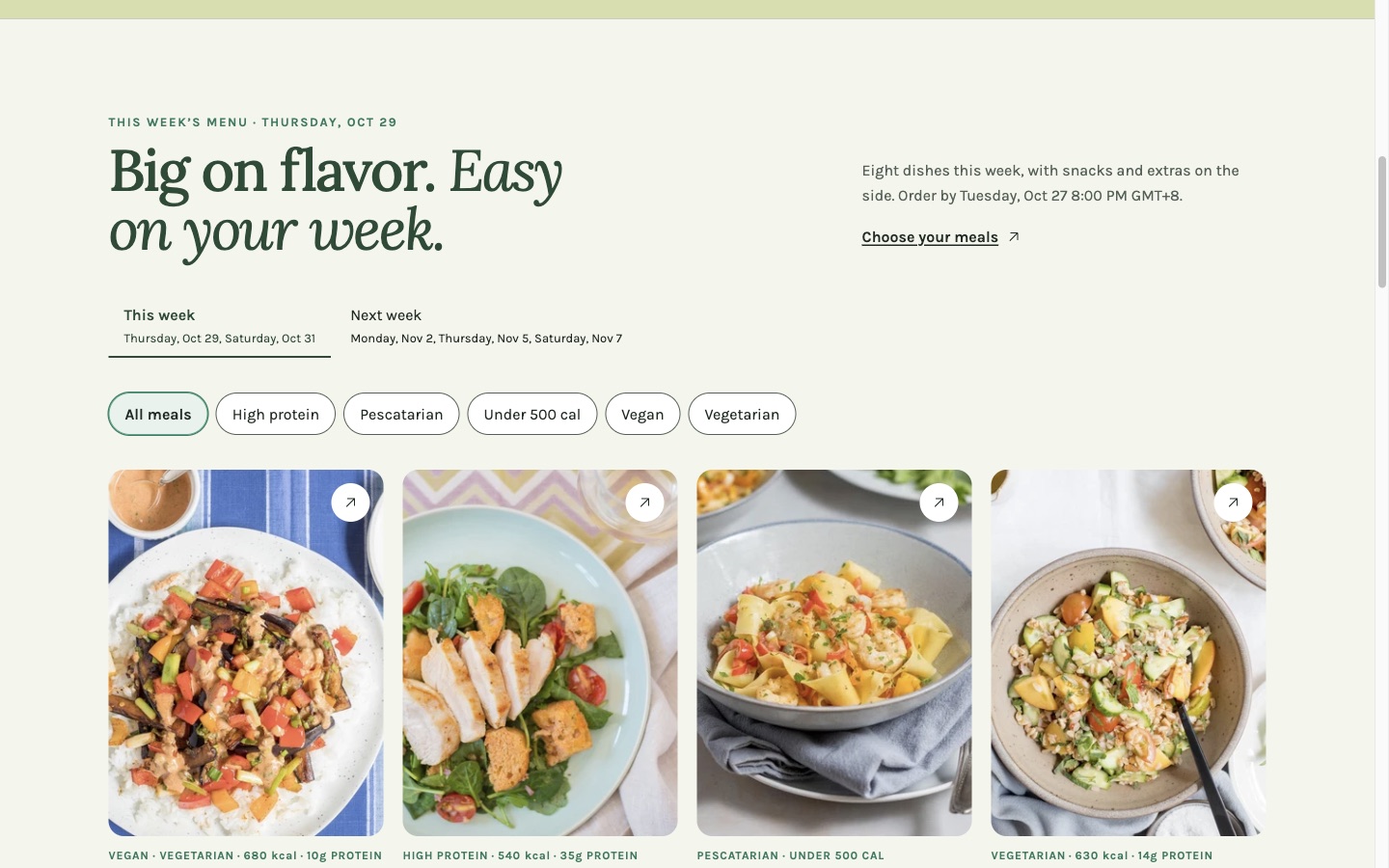
This week's menu, with diet filters and the next menu one tap away.
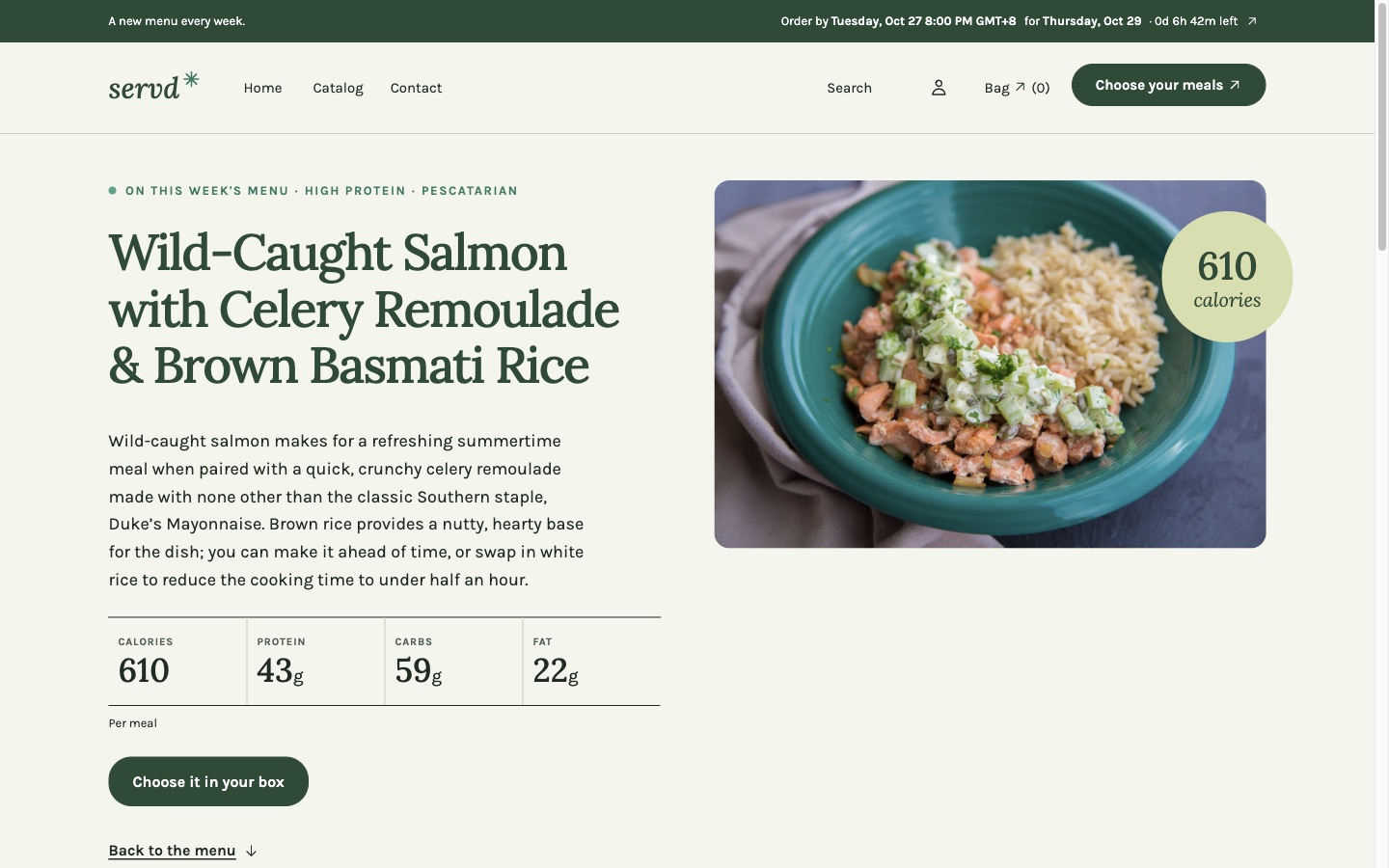
Dish pages with nutrition, diet labels and the order cutoff.
Better with Servd
Your storefront and your subscriptions, in one place.
Table is made by the team behind Servd, the meal subscription app for Shopify. Connect both and customers go from your home page to a filled, paid box without leaving your brand.
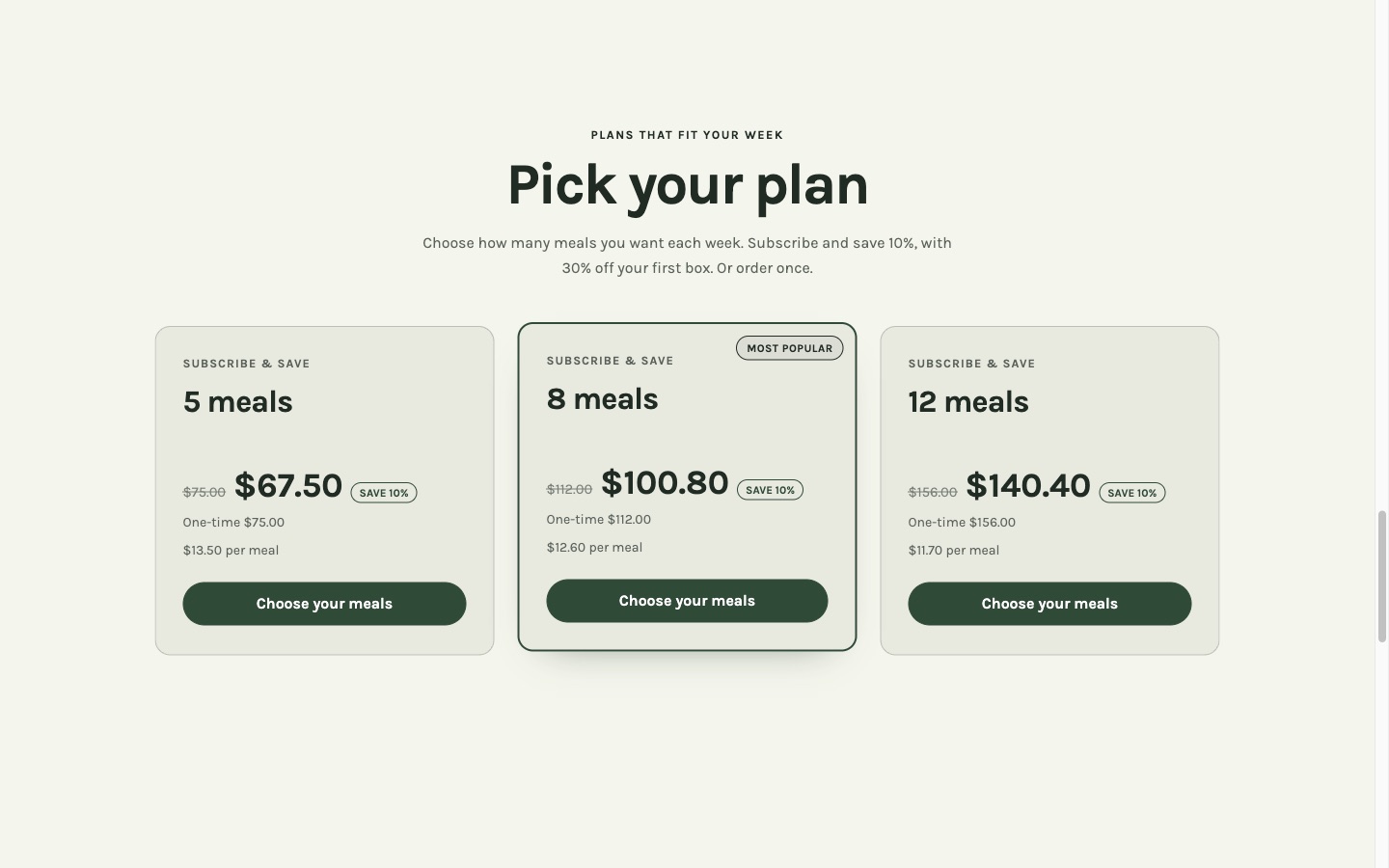
Plans and subscriptions
Servd's Plans & pricing and Purchase options blocks drop into the theme: subscribe and save, one-time orders and a welcome offer on the first boxes.
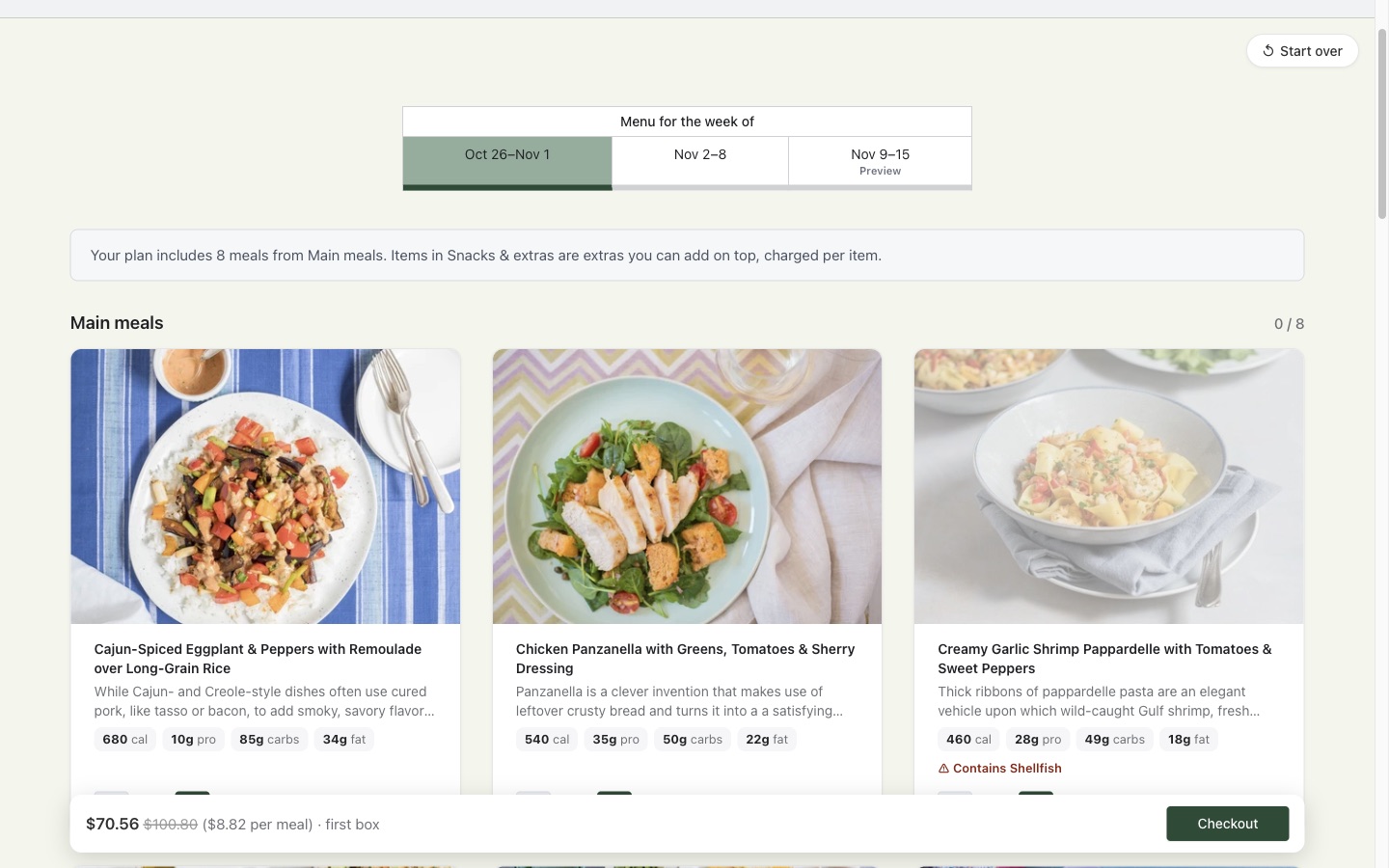
Meal selection inside your theme
Customers pick their dishes on a menu that keeps your header, footer and colours, with nutrition and allergen warnings.
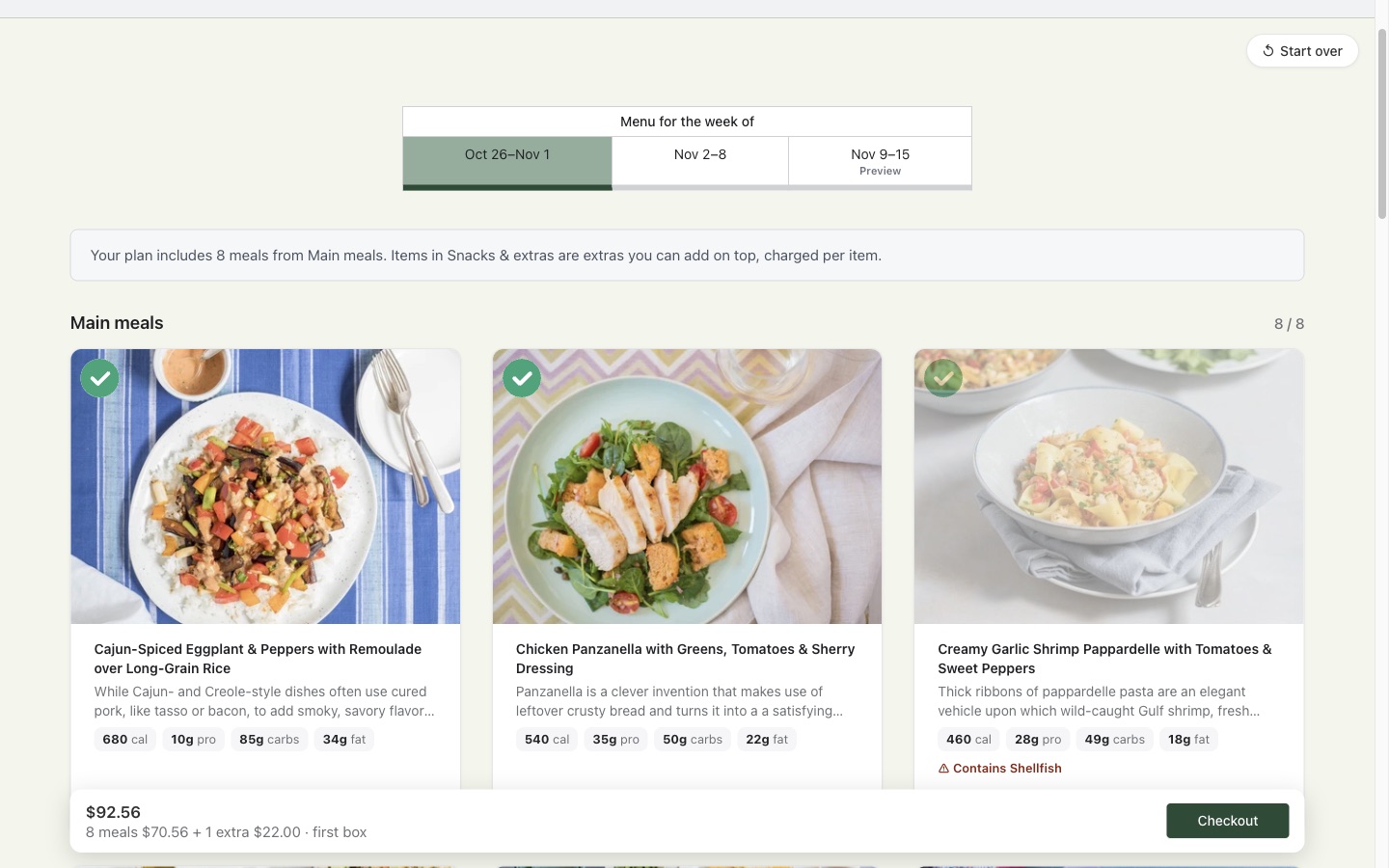
Paid add-ons
Snacks and extras sit in their own section, charged on top of the plan without using up a meal.
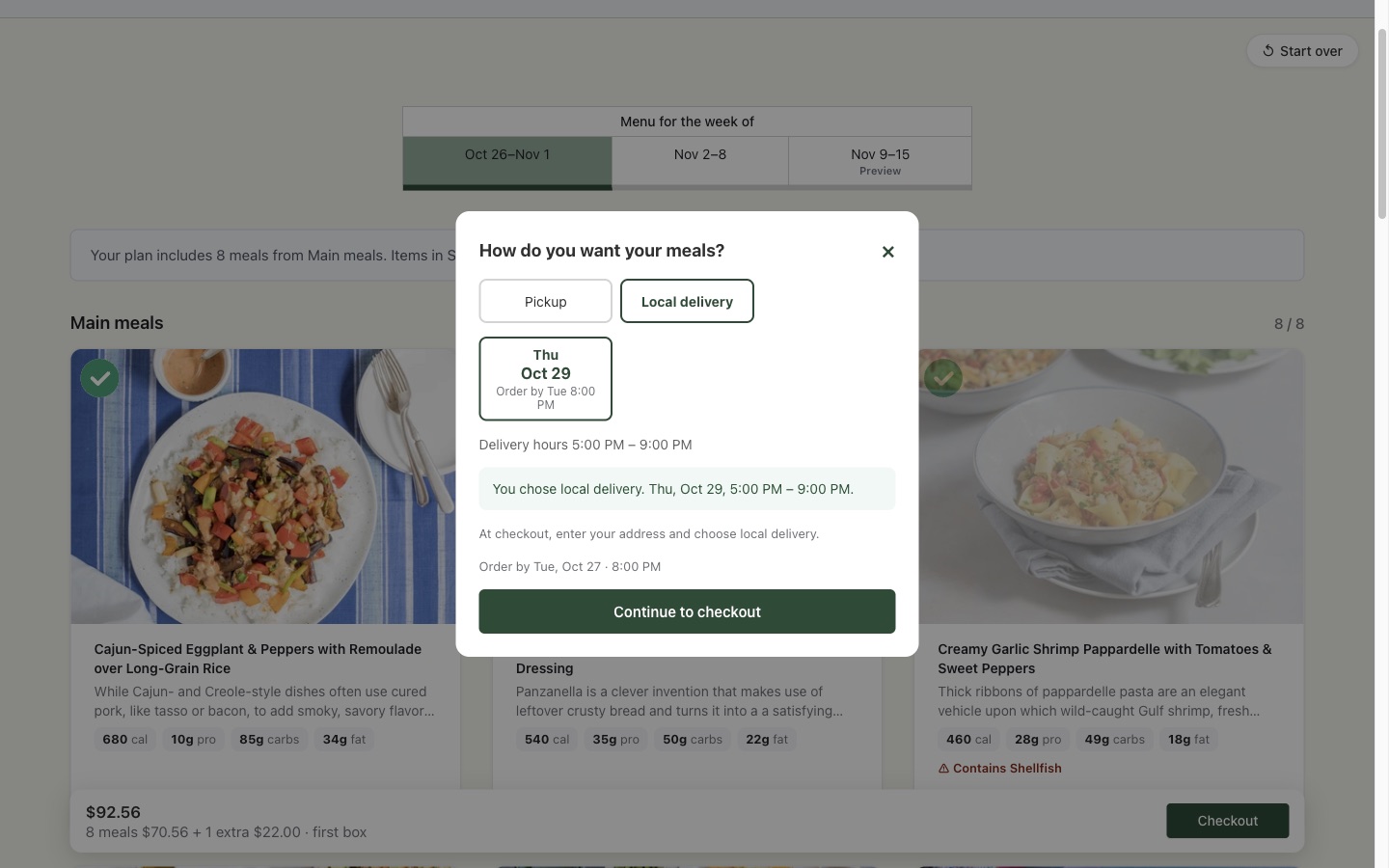
Delivery and pickup days
Customers choose pickup or delivery and a day before checkout. Each day closes at its own cutoff, the same one the theme's bar counts down to.
Pricing
One price. No monthly fee for the theme.
$99
One-time purchase · one store · 12 months of updates
- All four styles: Garden, Kitchen, Fuel and Gather
- Meal plan, dish and plate product templates
- Setup checklist and sample product import pack
- Works with Servd blocks and the Servd menu page
- Email support for setup questions
Sold through Creem, which handles payment and tax. 7-day refund if Table doesn't work on your store and we can't fix it. See the Terms of Service and Privacy Policy.
Questions
Before you buy.
Do I need Servd to use Table?
No. On its own, Table sells meal plans and dishes as one-time orders and rotates your weekly menu from collections. Add Servd when you want subscriptions, meal selection, delivery days and a customer portal.
Is Table on the Shopify Theme Store?
No, we sell it directly. You get the theme as a zip file and upload it in Online Store › Themes › Add theme › Upload zip file.
What do I get?
The theme with all four styles, the documentation, a sample product import pack, and 12 months of updates. Updates arrive as a new zip you upload next to your current theme.
Can I get a refund?
Yes, if Table doesn't work on your store and we can't fix it: email us within 7 days of purchase for a full refund. The full terms are in our Terms of Service.
Can I use it on more than one store?
One licence covers one live store. Development and staging stores for that business are fine.
How do the theme and Servd stay in step?
You set the same cutoff and delivery days in both. The theme's order bar, menu rotation and FAQ answers then match what Servd sells at checkout.
Where do I get help?
Read the documentation, or contact Table support. We answer setup questions for the theme and Servd together.
See Table with Servd on a real store.
Browse the menu, pick a plan and walk through meal selection on the demo store.