Theme-native storefront widget
July 9, 2026
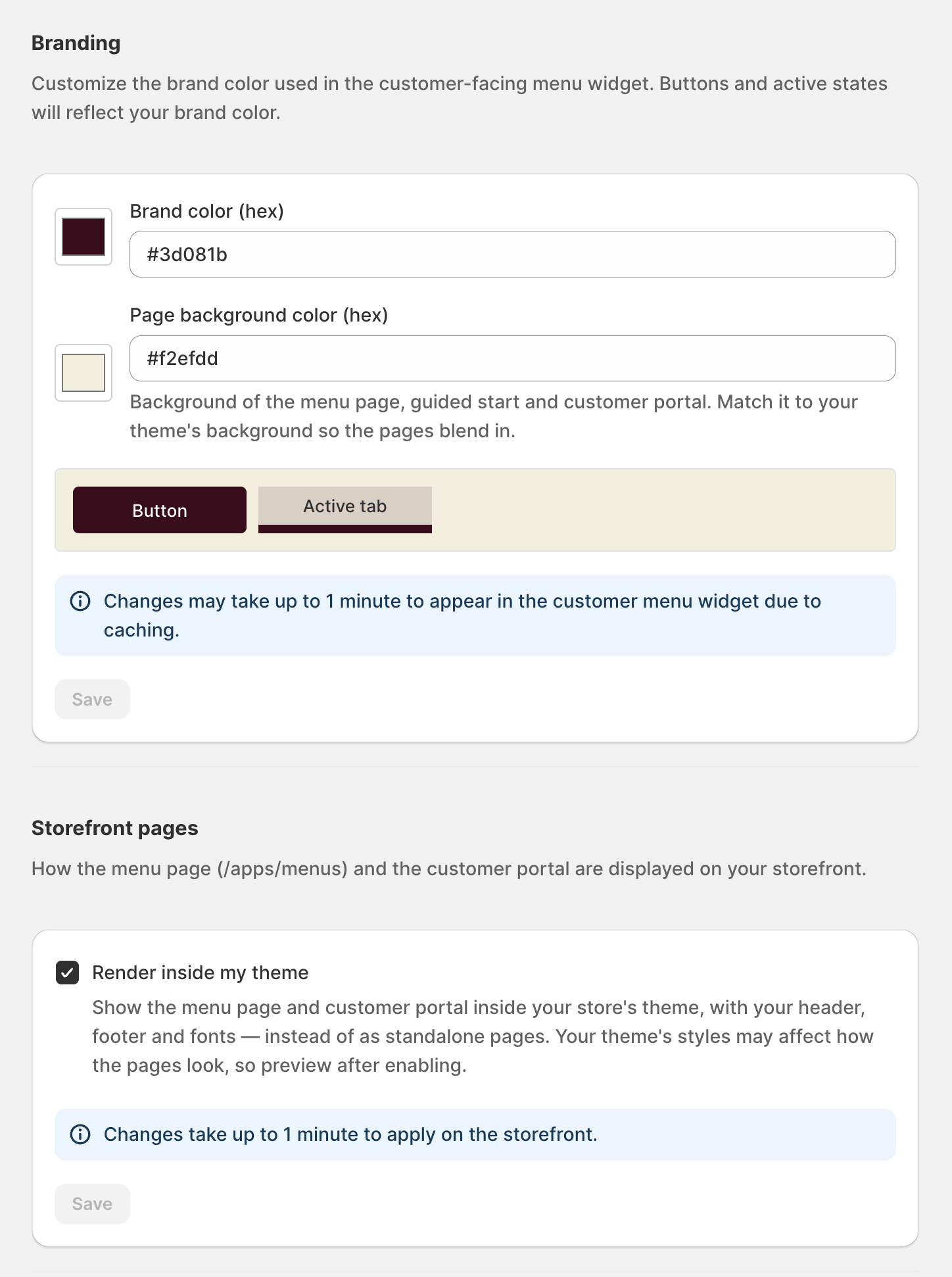
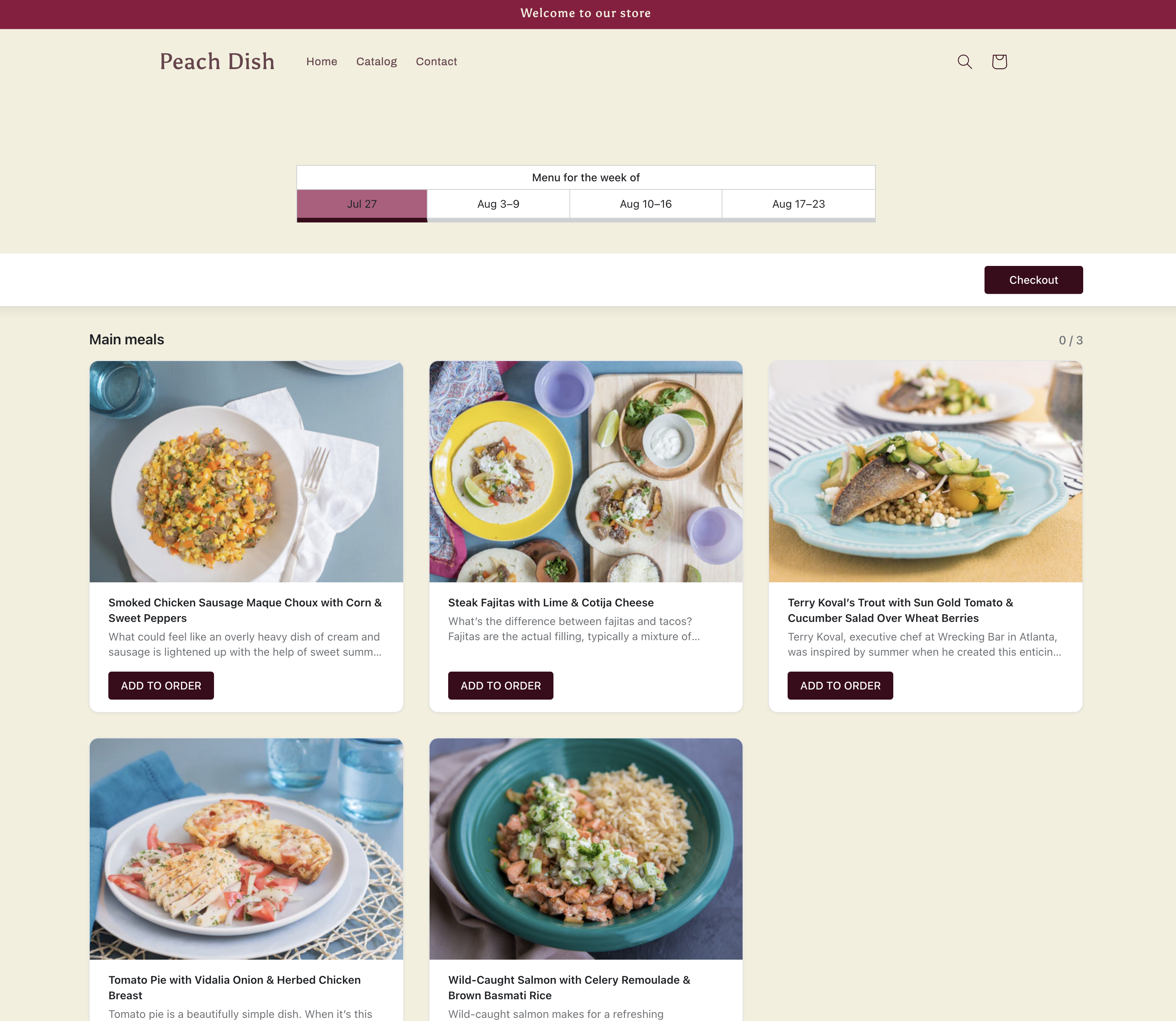
The storefront menu widget was rebuilt to render inside your Shopify theme rather than in an isolated frame. It picks up your store's layout context and adds a background-color setting, so the menu feels like part of your store, not a separate app.
What changed
The widget now composes into the surrounding theme markup and no longer restyles the rest of your page. A new background-color setting lets you match the menu's surface to your store's palette, and menu items render on a clean white surface for consistent contrast.
The guided-start experience was tuned in the same pass: the menu loads without the loader flash that used to appear on first paint.
Why it matters
A storefront widget that clashes with the theme costs conversions — customers notice the seam. Rendering natively inside the theme, with a color you control, keeps the ordering flow feeling like a first-class part of your store.
How to use it
The improved rendering is automatic once the app embed is enabled. Open the widget's theme settings to set the background color that matches your store.
More product updates
Show your menu and customer portal in French, Spanish or KoreanStorefront · October 20, 2026A cutoff for each delivery or pickup dayDelivery · October 18, 2026Set your delivery schedule during setupDelivery · October 17, 2026Ready to set this up on your store?
Servd is free to install and walks you through creating your meal plan, your first menu, and the storefront entry point.
Install Servd on ShopifyQuestions about your setup? Email us — we respond within 24 hours.