A cutoff for each delivery or pickup day
October 18, 2026
One weekly cutoff suits a kitchen that shops and cooks once for the whole week. A kitchen that cooks before each delivery or pickup day needs every day to close on its own: a Wednesday pickup and a Saturday delivery should not share Monday's cutoff. Each day can now have its own.
What it is
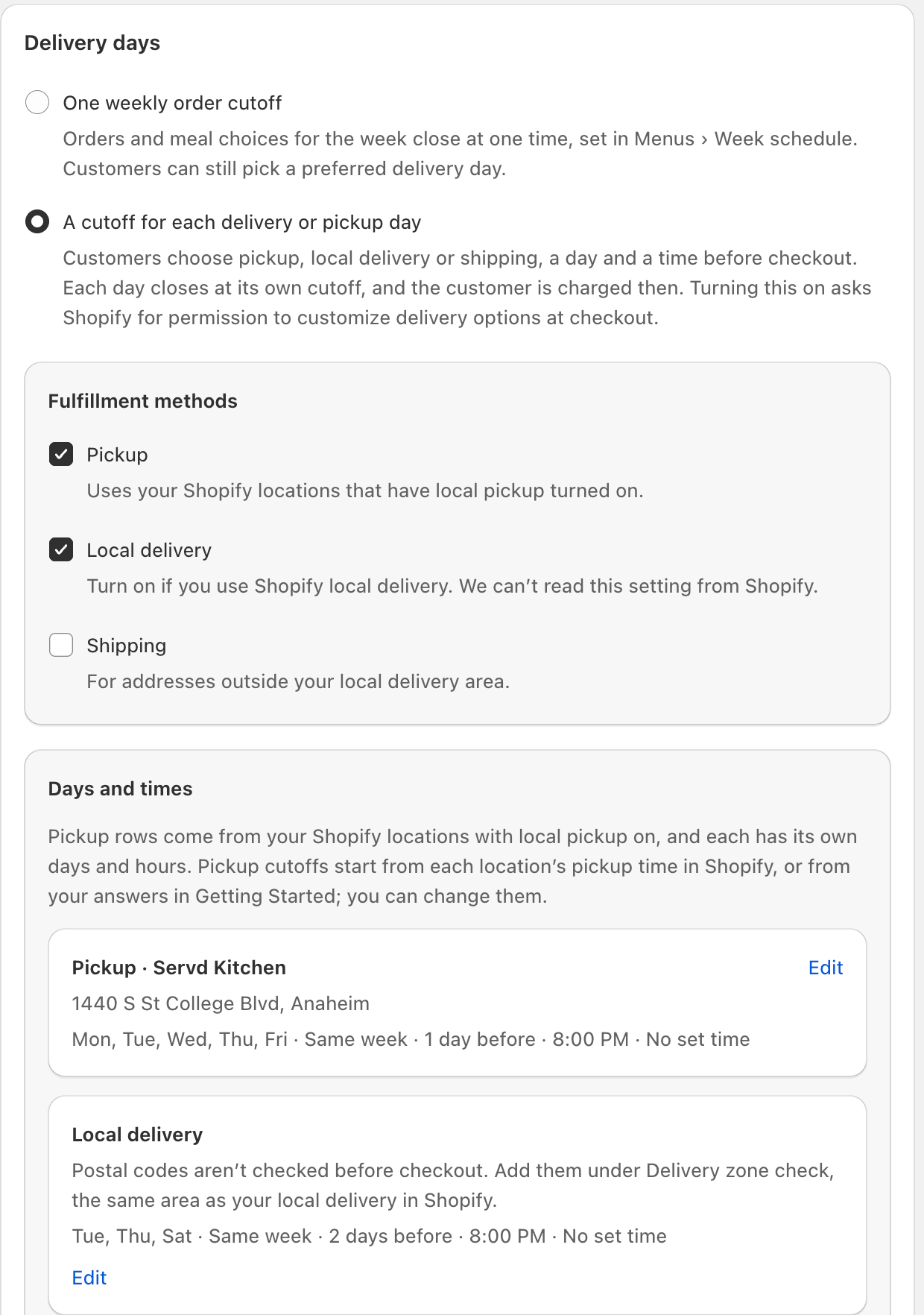
In Settings → Delivery scheduling, choose A cutoff for each delivery or pickup day. Tick how customers can get their meals — pickup at your Shopify locations, local delivery, shipping — then give each method its days and a cutoff, for example 2 days before at 8:00 PM. You can also set pickup or delivery hours, and mark holidays as unavailable.
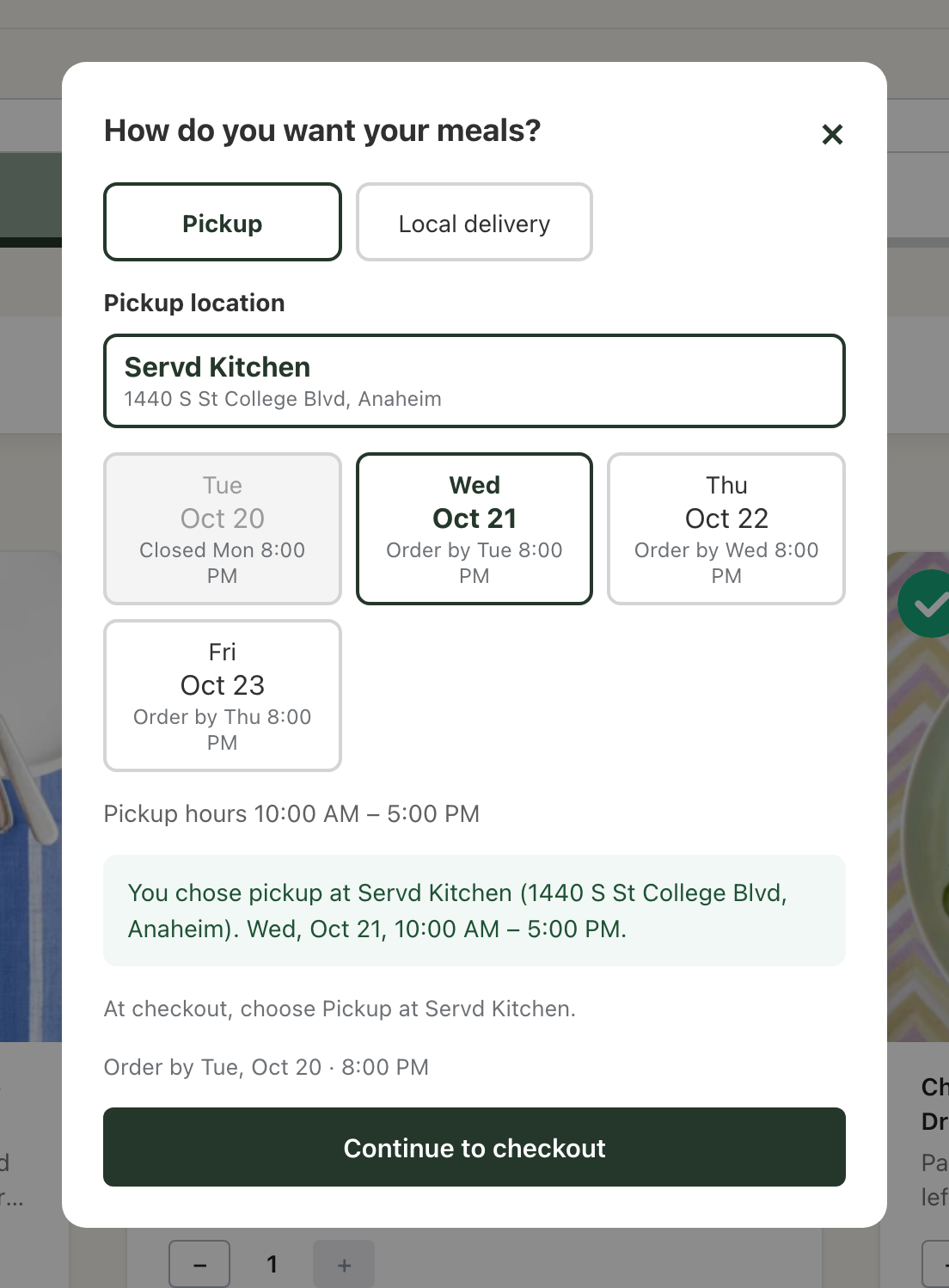
When a customer continues to checkout from the menu page, a window asks how they want their meals and shows the open days, each with its order cutoff. For pickup they choose a location and, if you set one, a time. Their choice is shown on the order and on the subscription.
Each renewal is charged at the cutoff of the customer's day. Until then they can change their meals, their day or their method in the customer portal, for one delivery or as their usual choice.
Which one should I use?
Ask when you need your final meal count. If you cook once a week for all your days, keep one weekly cutoff: one total, one shopping list. If you cook before each day, use a cutoff for each day: every customer orders the same time ahead, and you get a separate count for each day.
How to set it up
It is available on every plan. Open Settings, find Delivery scheduling and choose A cutoff for each delivery or pickup day. The first time you save, Shopify asks you to allow the app to customize delivery options at checkout.
Subscriptions you already have keep renewing on your weekly cutoff. Only subscriptions started after you switch use a cutoff for each day.
More product updates
Show your menu and customer portal in French, Spanish or KoreanStorefront · October 20, 2026Set your delivery schedule during setupDelivery · October 17, 2026Auto-assign can repeat paid add-onsAdd-ons · September 30, 2026Ready to set this up on your store?
Servd is free to install and walks you through creating your meal plan, your first menu, and the storefront entry point.
Install Servd on ShopifyQuestions about your setup? Email us — we respond within 24 hours.