Paid add-on sections
July 19, 2026
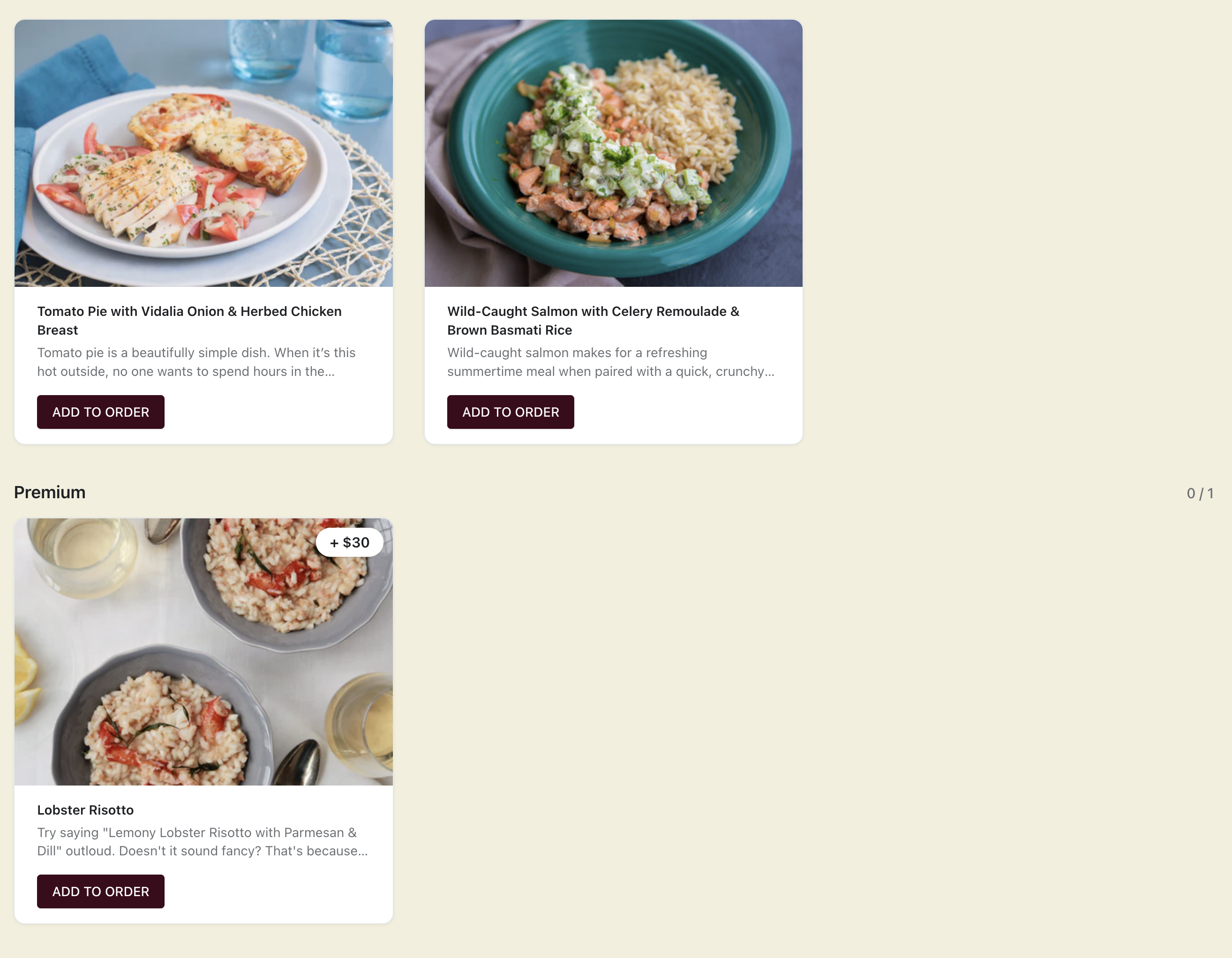
You can now sell paid add-ons alongside the meals in a plan: a drink, a dessert, an extra protein, a pantry item. Each add-on is priced from a real Shopify product and charged on top of the plan price, so it flows through the same subscription and order.
What it is
A paid add-on section is a group of extra items customers can add to their box when they choose their menu. Unlike the meals covered by the plan price, add-ons carry their own price — pulled directly from the Shopify product you connect — and that amount is added to what the customer is charged.
Why it matters
Add-ons raise average order value without forcing customers into a bigger plan. A subscriber on a 4-meal plan can add a $6 dessert or a $9 bottle of cold brew for a single delivery, and the charge is calculated correctly on top of their plan.
Because pricing comes from the Shopify product, you manage add-on prices where you already manage everything else — no separate price list to keep in sync.
How to set it up
Create the add-on items as Shopify products with the price you want to charge. In the app, add a paid add-on section to your menu and connect those products. The section shows up in the customer's menu picker as an optional extra, and the add-on amount is billed with the plan.
More product updates
Show your menu and customer portal in French, Spanish or KoreanStorefront · October 20, 2026A cutoff for each delivery or pickup dayDelivery · October 18, 2026Set your delivery schedule during setupDelivery · October 17, 2026Ready to set this up on your store?
Servd is free to install and walks you through creating your meal plan, your first menu, and the storefront entry point.
Install Servd on ShopifyQuestions about your setup? Email us — we respond within 24 hours.