Guided start ordering flow
July 7, 2026
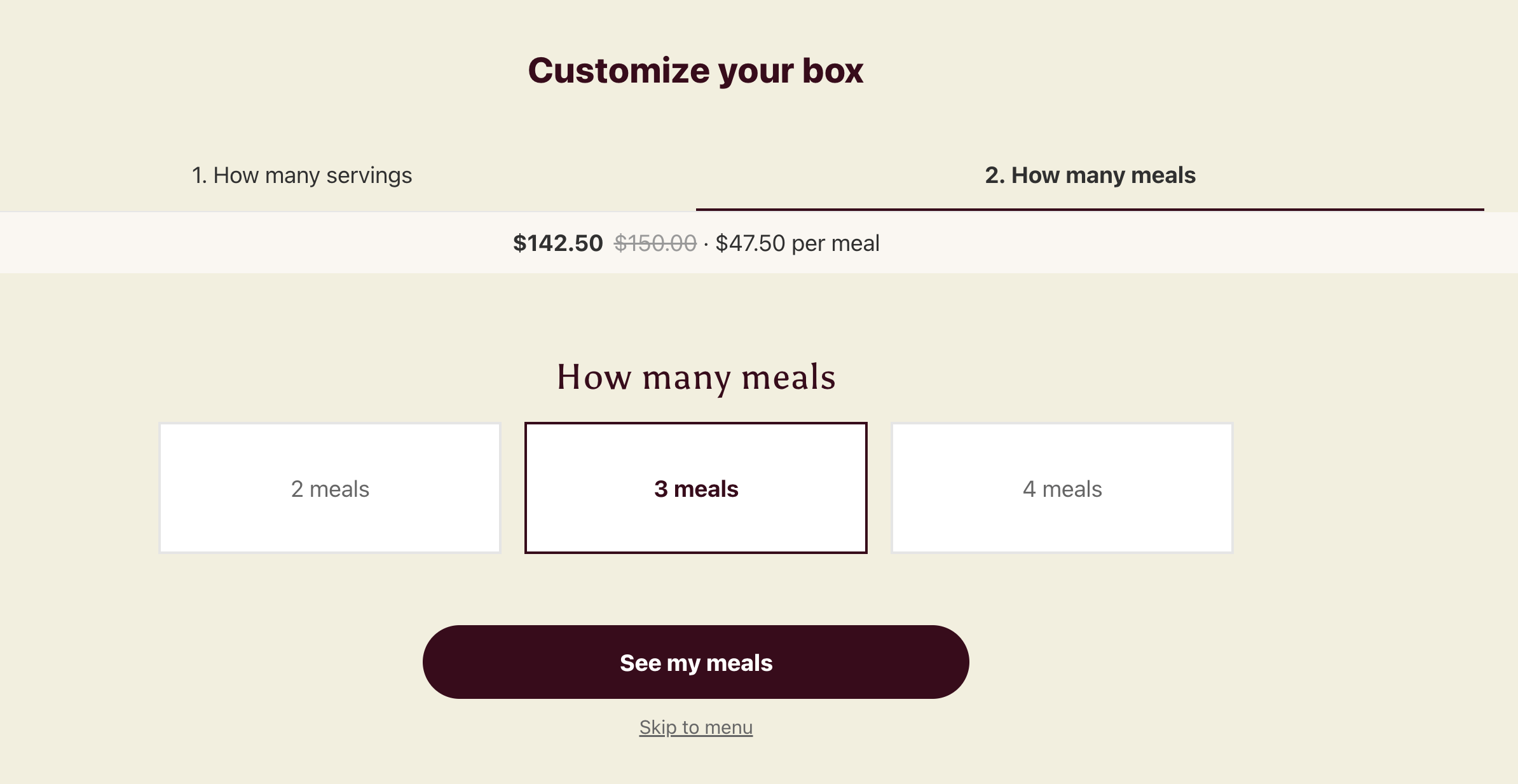
Guided start gives customers a step-by-step way to begin a subscription from a dedicated page — /apps/menus on your store — instead of a product page. It walks them through choosing a plan, a size, and their first menu, and it needs no theme changes to go live.
What it is
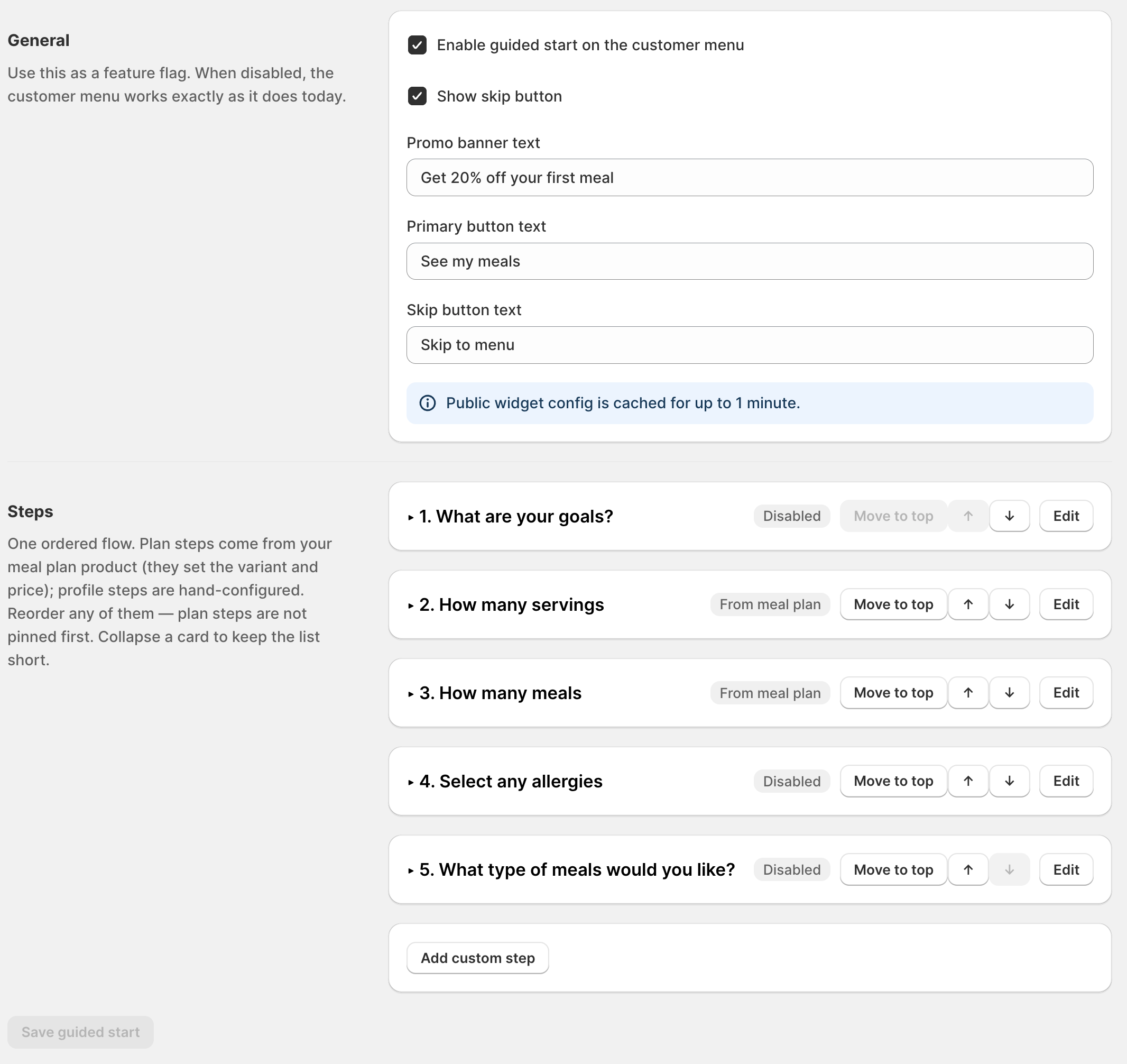
Guided start is a wizard-style ordering entry point. The steps are derived from your meal plan's variant options, so the flow reflects the plan sizes, tiers and options you already sell, and you can reorder or remove steps and preview the plan step in the app.
It was redesigned into a cleaner guided wizard, with shop-currency and discounted-price display and a finishing state while the customer's profile saves.
Why it matters
Not every store wants to wire the subscription widget into product pages, and not every customer arrives ready to configure options inline. A guided link you can drop into your store navigation lowers the barrier to the first order and gives you a shareable URL for campaigns.
How to set it up
Enable guided start in Getting Started (or on the Guided start page) and add the /apps/menus link to your store navigation. Use the reorderable steps and plan-step preview to shape the flow, then use the preview buttons to see exactly what customers will see.
More product updates
Show your menu and customer portal in French, Spanish or KoreanStorefront · October 20, 2026A cutoff for each delivery or pickup dayDelivery · October 18, 2026Set your delivery schedule during setupDelivery · October 17, 2026Ready to set this up on your store?
Servd is free to install and walks you through creating your meal plan, your first menu, and the storefront entry point.
Install Servd on ShopifyQuestions about your setup? Email us — we respond within 24 hours.