Evergreen (always-on) menus
July 16, 2026
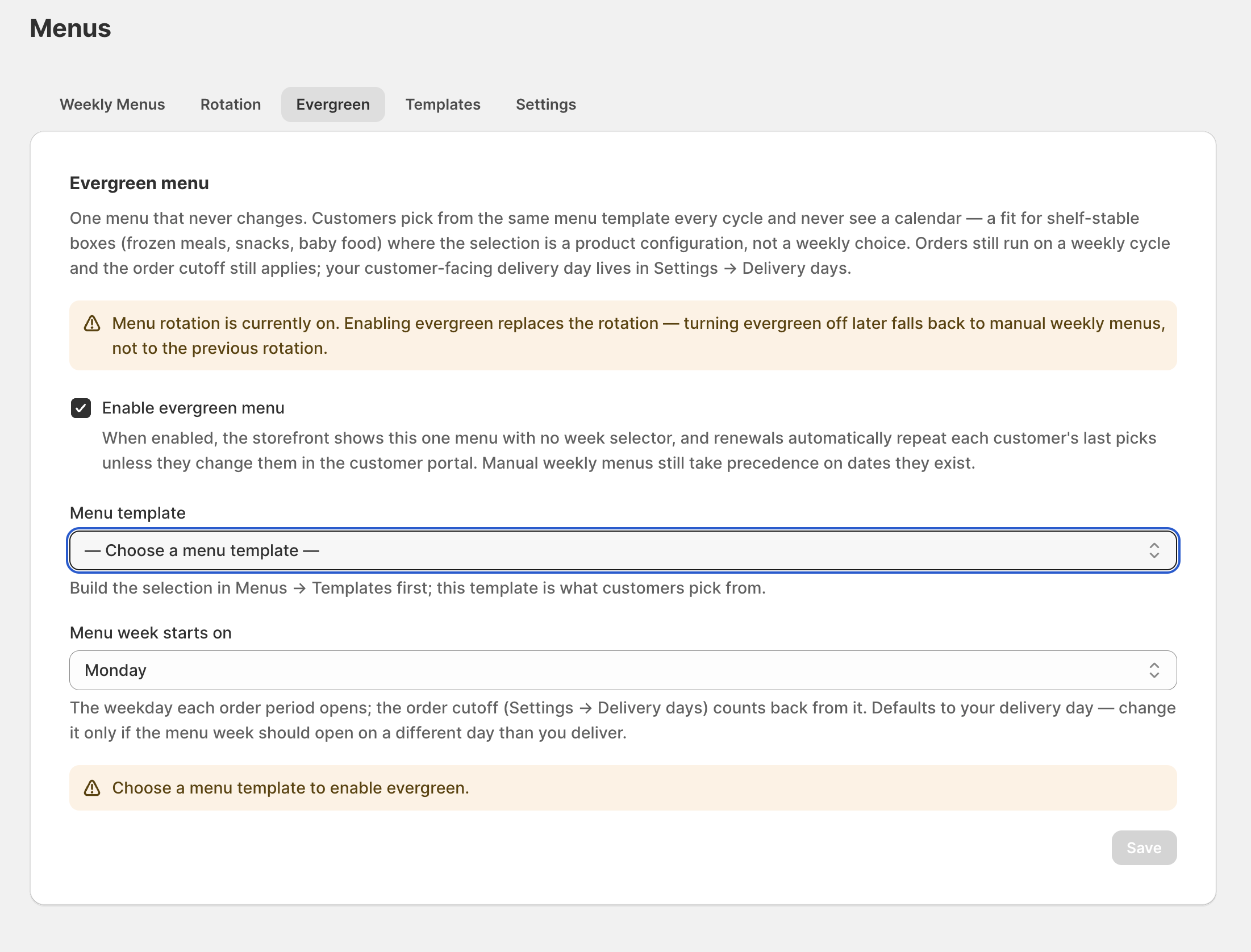
Not every meal business runs on a strict weekly calendar. Evergreen menus let you offer a single, always-available menu that customers order from whenever they like, with subscriptions that renew straight through without you building a new dated week each time.
What it is
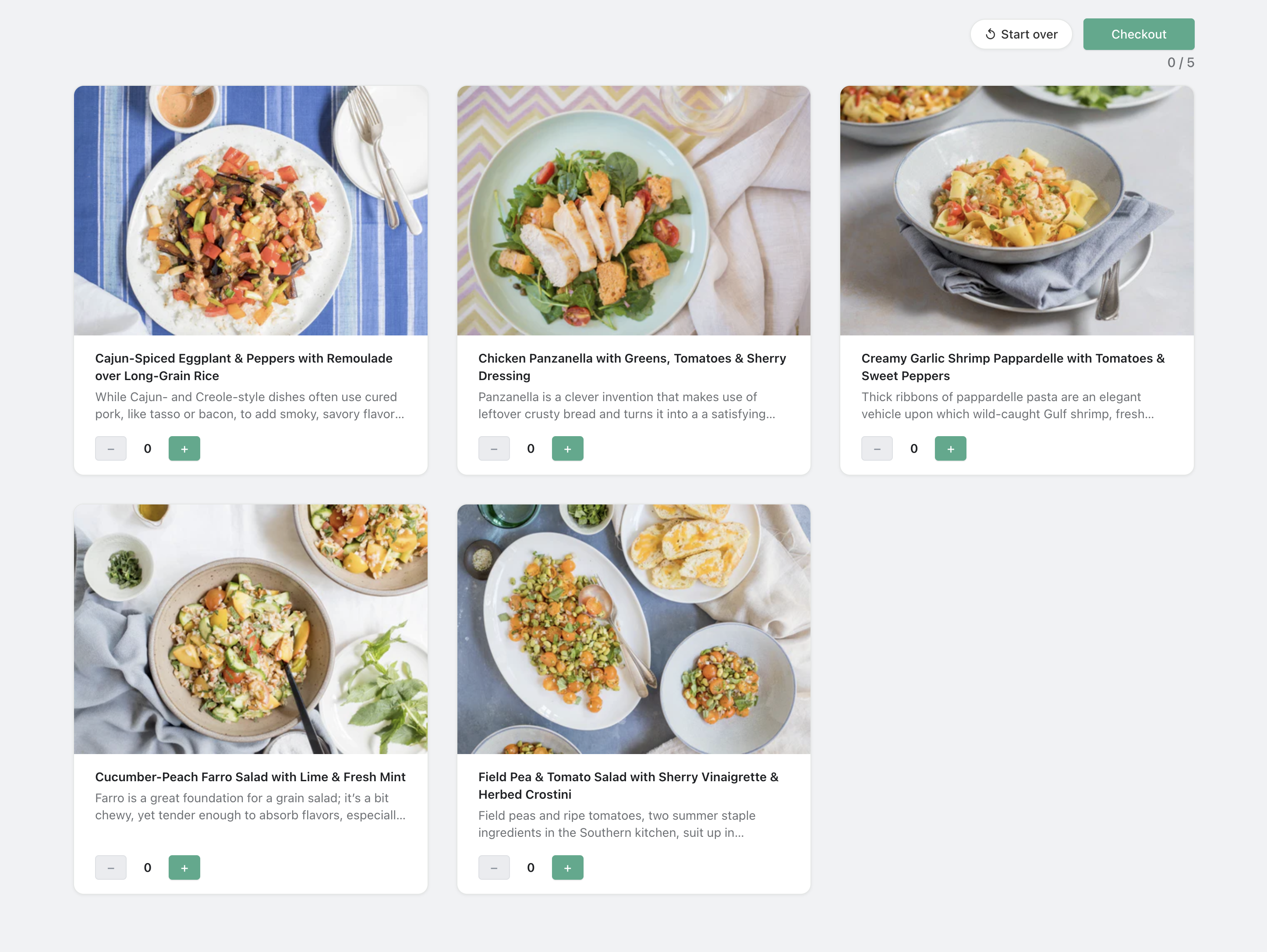
An evergreen menu is one standing menu with no delivery date attached. Instead of publishing a fresh menu for each week, you keep one menu live; customers pick from it on signup and on every renewal, and the subscription carries forward on its own cadence.
Why it matters
Dated weekly menus are the right model when your dishes rotate on a calendar — but they're overhead when your core offering is stable. Evergreen mode removes the weekly build step entirely for stores whose menu doesn't change often.
It also gives customers a simpler mental model: order today, get it on your normal schedule, no cutoff to chase. Renewals continue with structural continuity, so an active subscriber keeps their selection unless they change it.
How to set it up
In Menus, switch the menu mode to Evergreen and build your single standing menu. Customers ordering through the storefront widget or the guided start link see that menu directly. You can move back to weekly or rotating menus at any time.
More product updates
Show your menu and customer portal in French, Spanish or KoreanStorefront · October 20, 2026A cutoff for each delivery or pickup dayDelivery · October 18, 2026Set your delivery schedule during setupDelivery · October 17, 2026Ready to set this up on your store?
Servd is free to install and walks you through creating your meal plan, your first menu, and the storefront entry point.
Install Servd on ShopifyQuestions about your setup? Email us — we respond within 24 hours.